To do when you first receive the vending machine - standard
What To Do When You First Receive Your Vending Machine
Receiving your vending machine is an exciting step toward starting your vending business. To ensure the machine operates correctly from the beginning, it is important to follow the proper setup steps.
Below is a simple guide on what to do once your vending machine arrives.
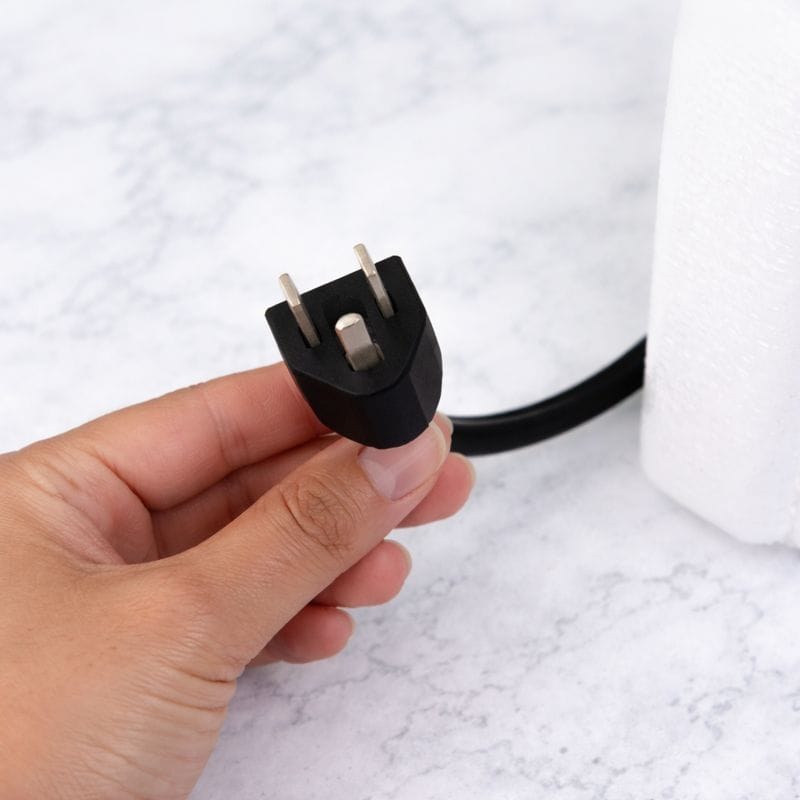
Step 1: Insert the plug into the power socket
Insert the vending machine’s power plug into a dedicated electrical outlet.
Make sure the machine is connected directly to a wall socket and not through an extension wire to ensure stable power supply.
Step 2: Turn the Main Power Switch
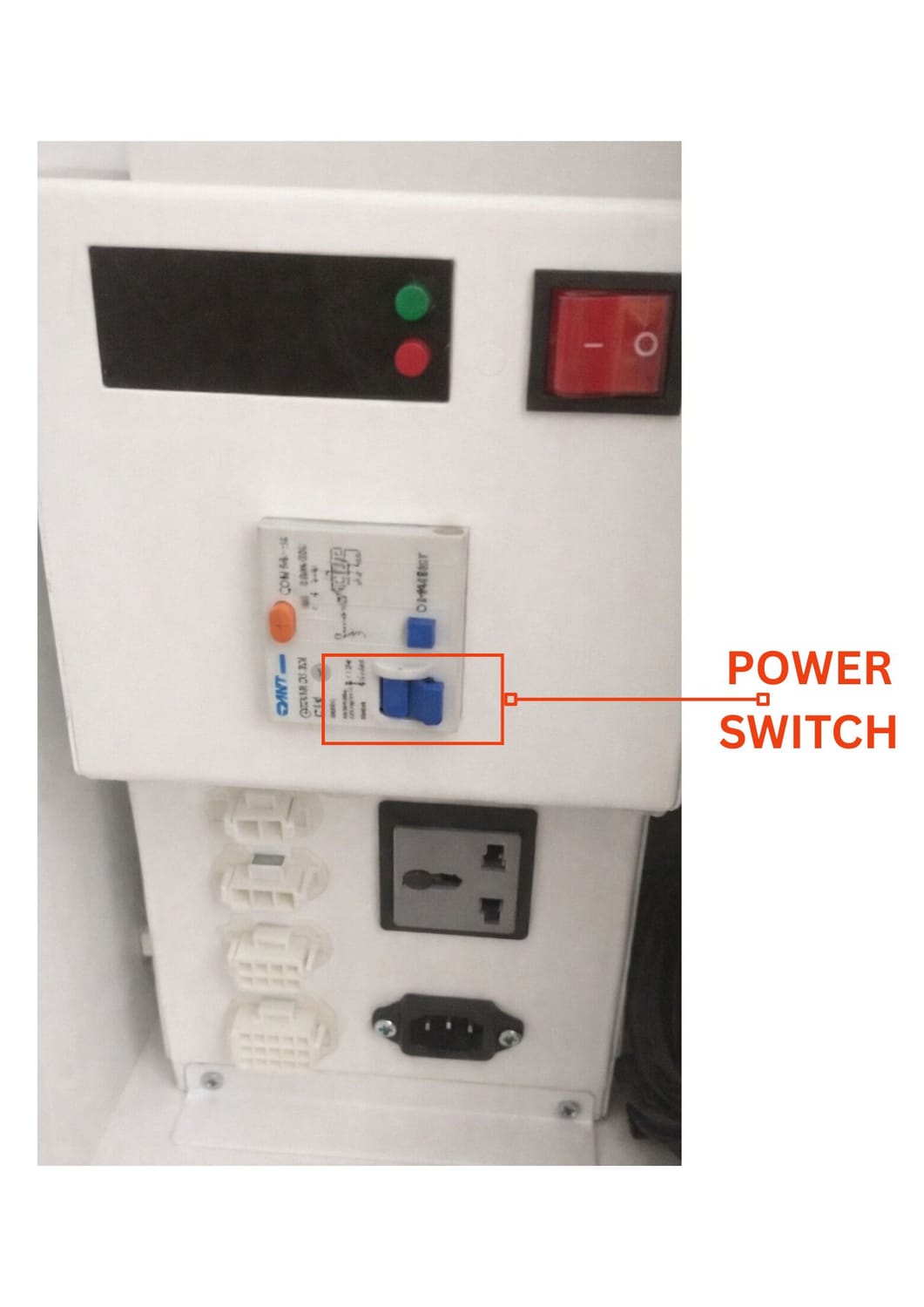
Locate the Main Power Switch (Blue Switch) inside the machine, as shown in the photo above.
Turn the blue switch ON to start the machine.
⚠️ Important:
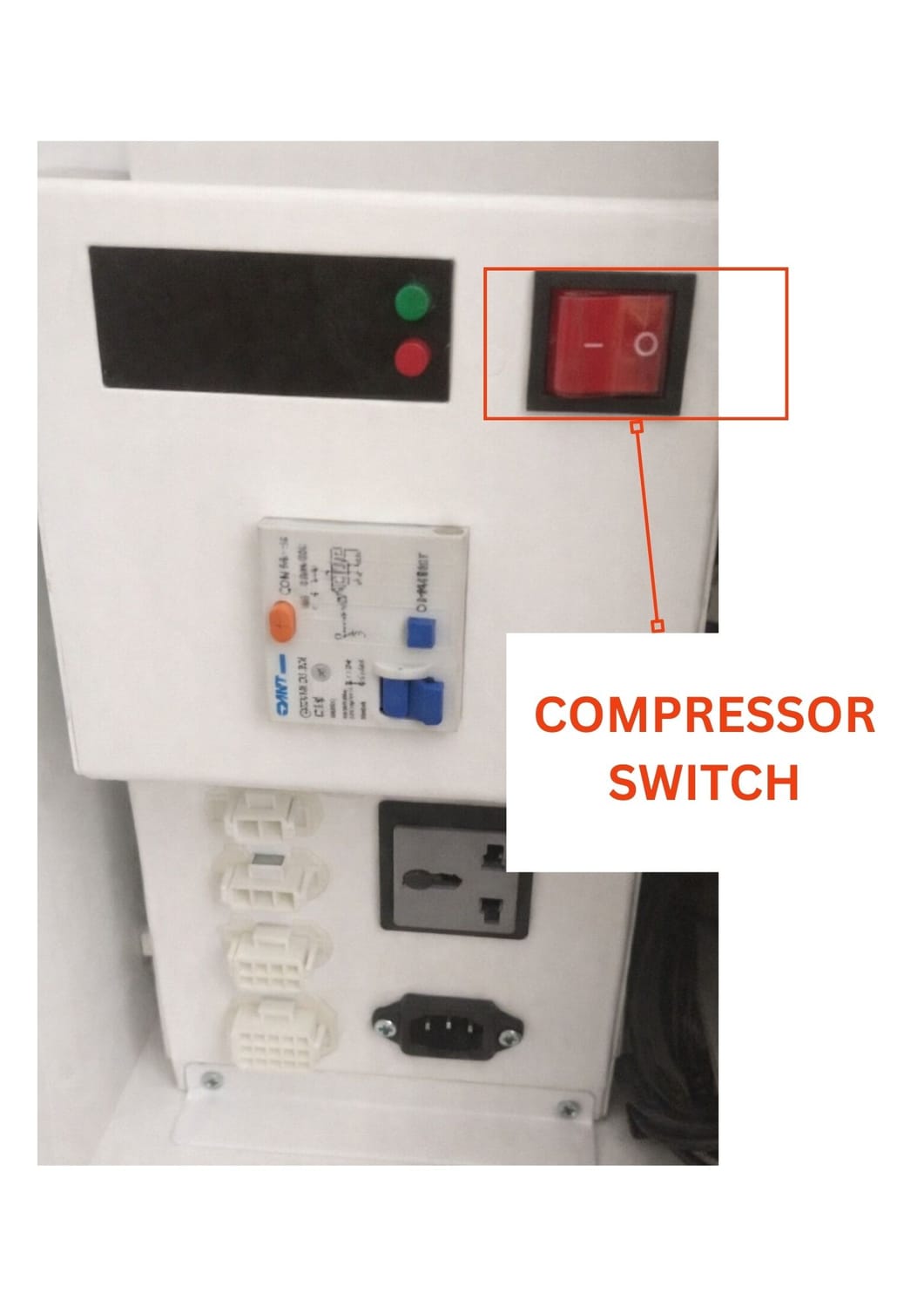
Do not turn on the red switch for the fridge yet.
The fridge compressor needs time to rest after transportation. Turning it on immediately may damage the cooling system.
Open in 2-3 days.
Step 3: Wait for the Machine to Start
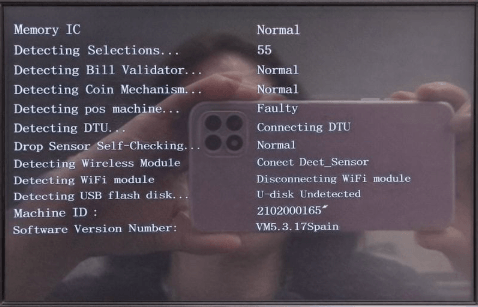
Once the machine powers on, the display screen will start and show the system interface.
This indicates that the vending machine is successfully powered and ready for testing.
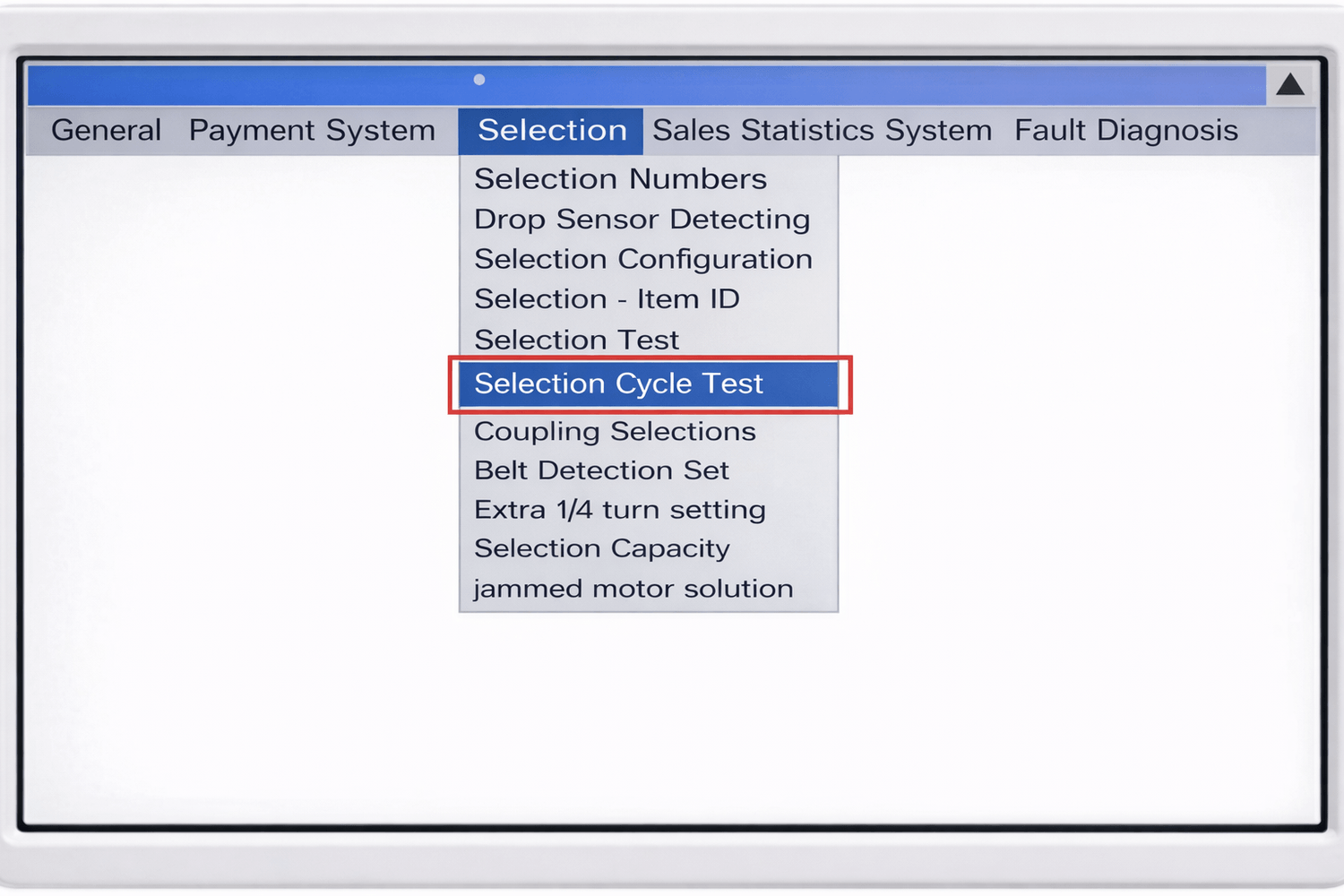
Step 4: Technician Motor Cycle Test
During installation, the technician will perform a motor cycle test.
This test rotates each spiral motor to ensure that every product slot is functioning correctly. It helps confirm that the machine can properly dispense products.
Step 5: Refill Products in the Vending Machine
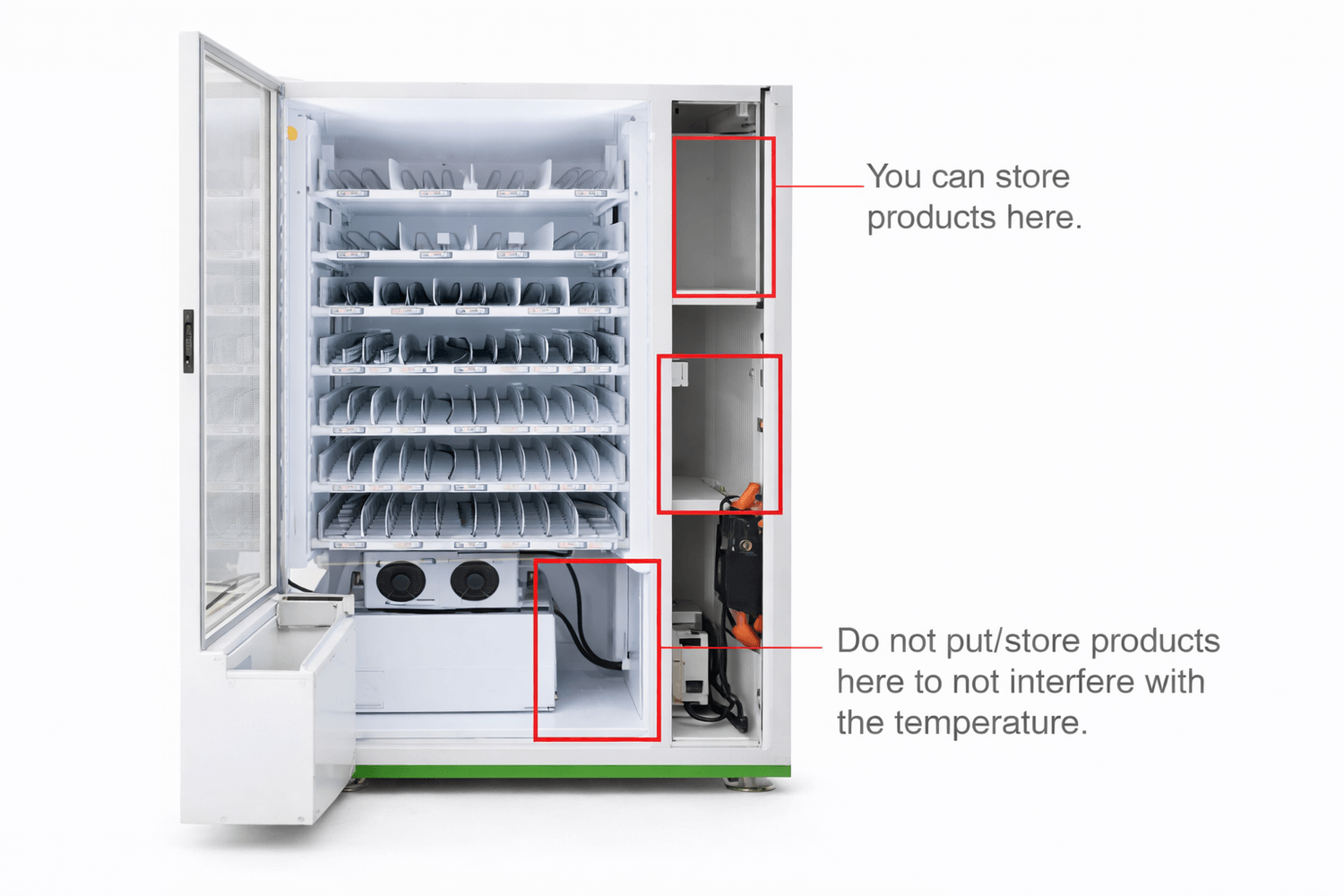
After testing, you can begin loading your products into the vending machine trays.
Make sure the products are properly placed in the spirals so they can be dispensed smoothly.
Step 6: Always Update the Inventory After Refilling
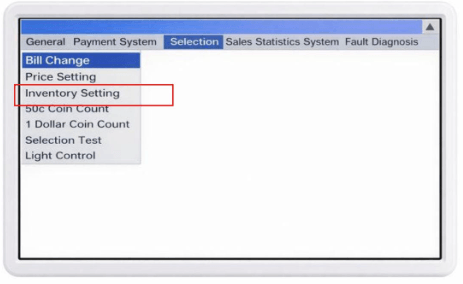
After adding products, it is very important to update the inventory in the system.
Inventory refers to the total number of products inside each selection slot.
Example
If the remaining product is 2 pieces and you add 4 more pieces, the inventory should be updated to:
2 + 4 = 6 products
This means the machine should record 6 items available for that selection.
Why Updating Inventory Is Important
After adding products, it is very important to update the inventory in the system.
Inventory refers to the total number of products inside each selection slot.
Example
If the remaining product is 2 pieces and you add 4 more pieces, the inventory should be updated to:
2 + 4 = 6 products
This means the machine should record 6 items available for that selection.
Monthly Motor Test Recommendation
Even after installation, it is a good practice to perform a motor cycle test once a month.
This helps ensure that:
All motors are functioning properly
Spirals rotate smoothly
The vending machine continues to operate reliably
Regular checks help prevent unexpected dispensing problems.
Important things to remember
1. Vending Machine is indoor, we dont recommend them to be moved outdoor.
2. Every refill, clean and wipe the vending machine. Maintain it clean.
3. Every after refill, update inventory.
4. Every after refill, test buy to test motor cycle test.
5. When opening bill acceptor, or coin acceptor, or inserting and removing sim, always, turn the vending machine off.
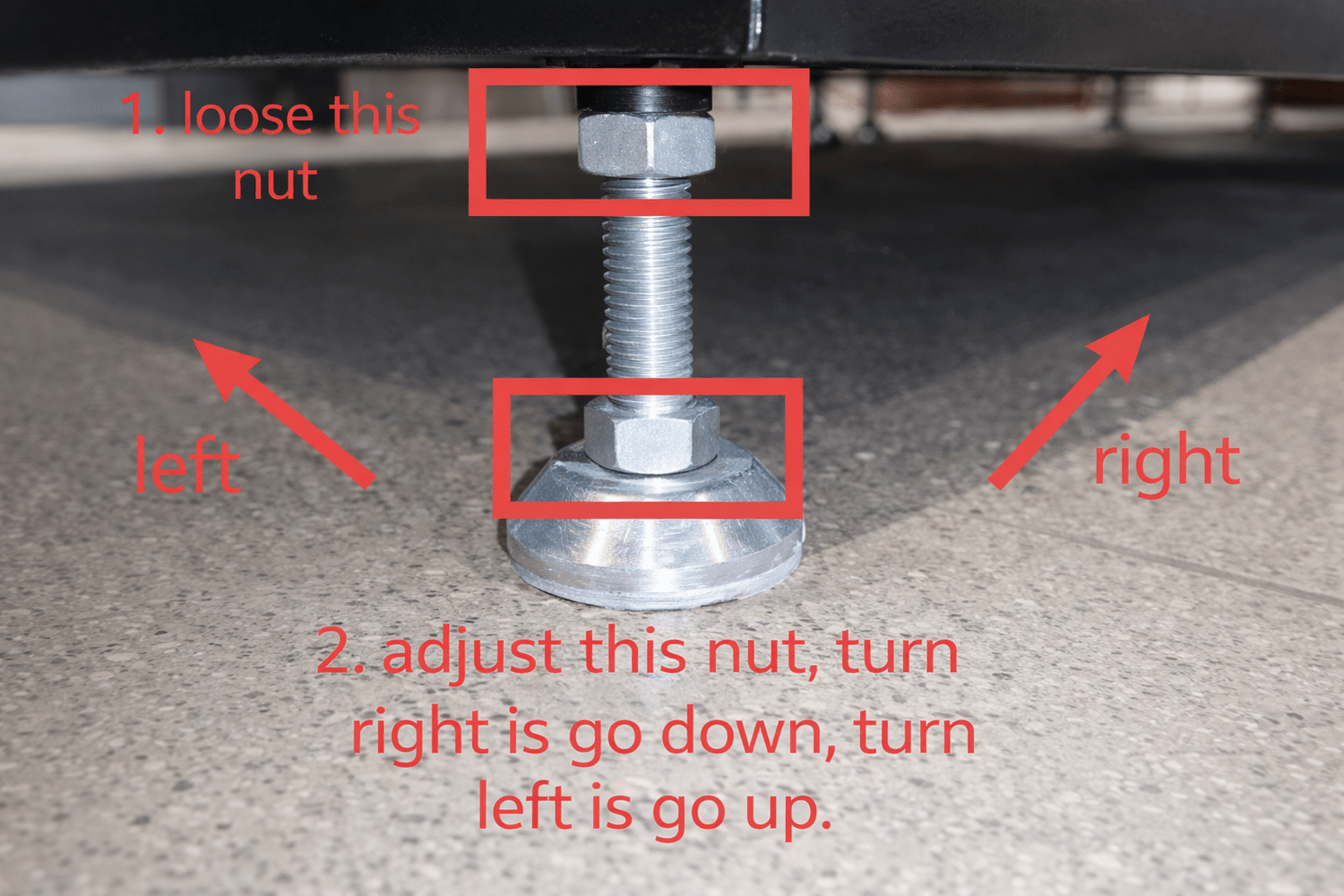
Using the wrench we provided, you can move the vending machine anywhere in short distances. Pls see the photo how to adjust the feet of the vending.
NO PROMO THIS MONTH
QUICKLINKS
First time owner guide
Must know before buying Android
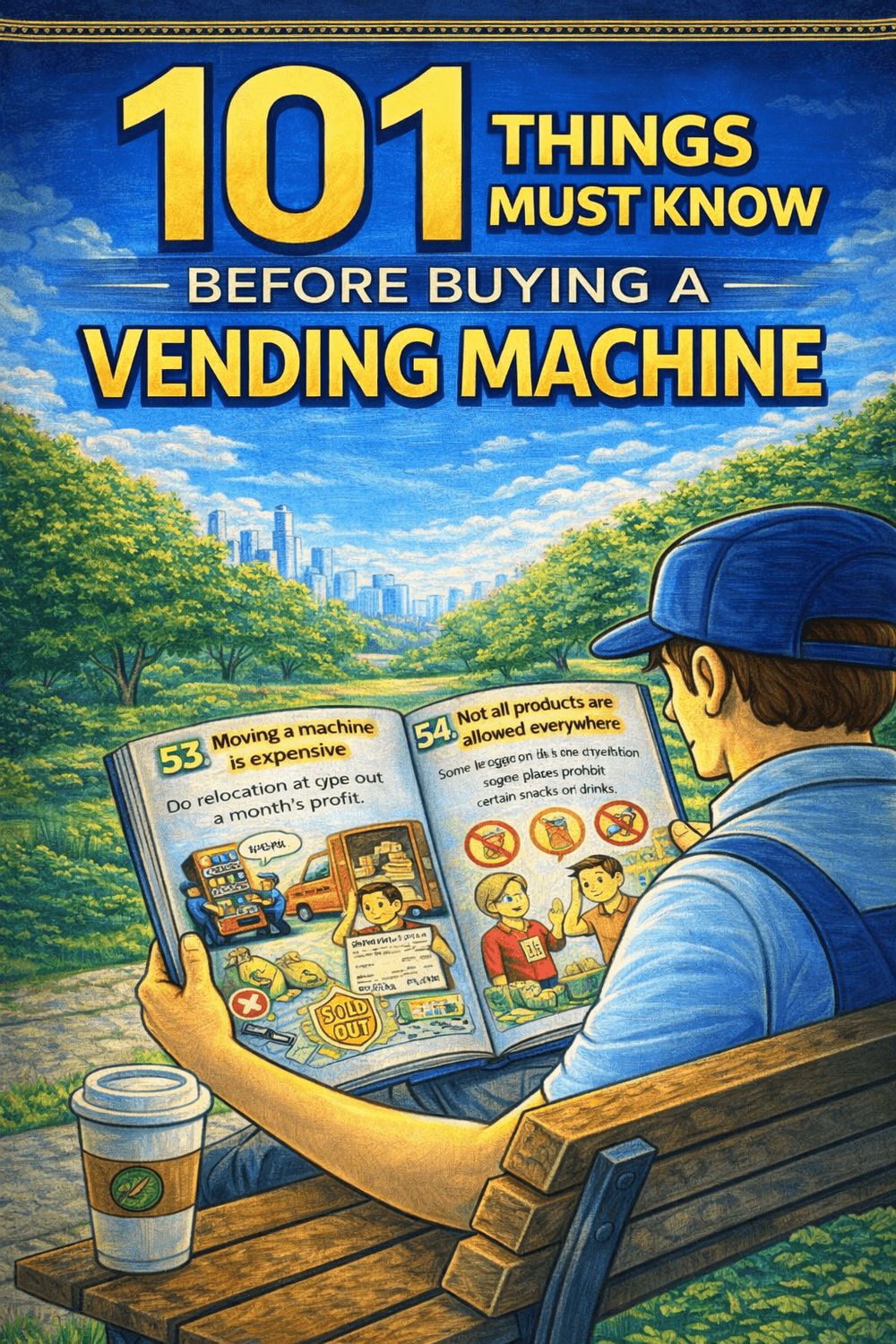
Buy this ebook before purchasing a vending machine. Money back after you purchase a unit.
We are a vending solution provider that can handle all of your needs. Vending machines, system servicing, logistics, product procurement, and location search are all part of our comprehensive approach.
+63 976 093 3901
Vending Machine Ph by Itadish 2025