How to update ICT Bill Acceptor
There are many models of ICT;
some can be updated using a USB flash drive,
while others require a downloader.
This is for TAO Model. Pls see guide below.
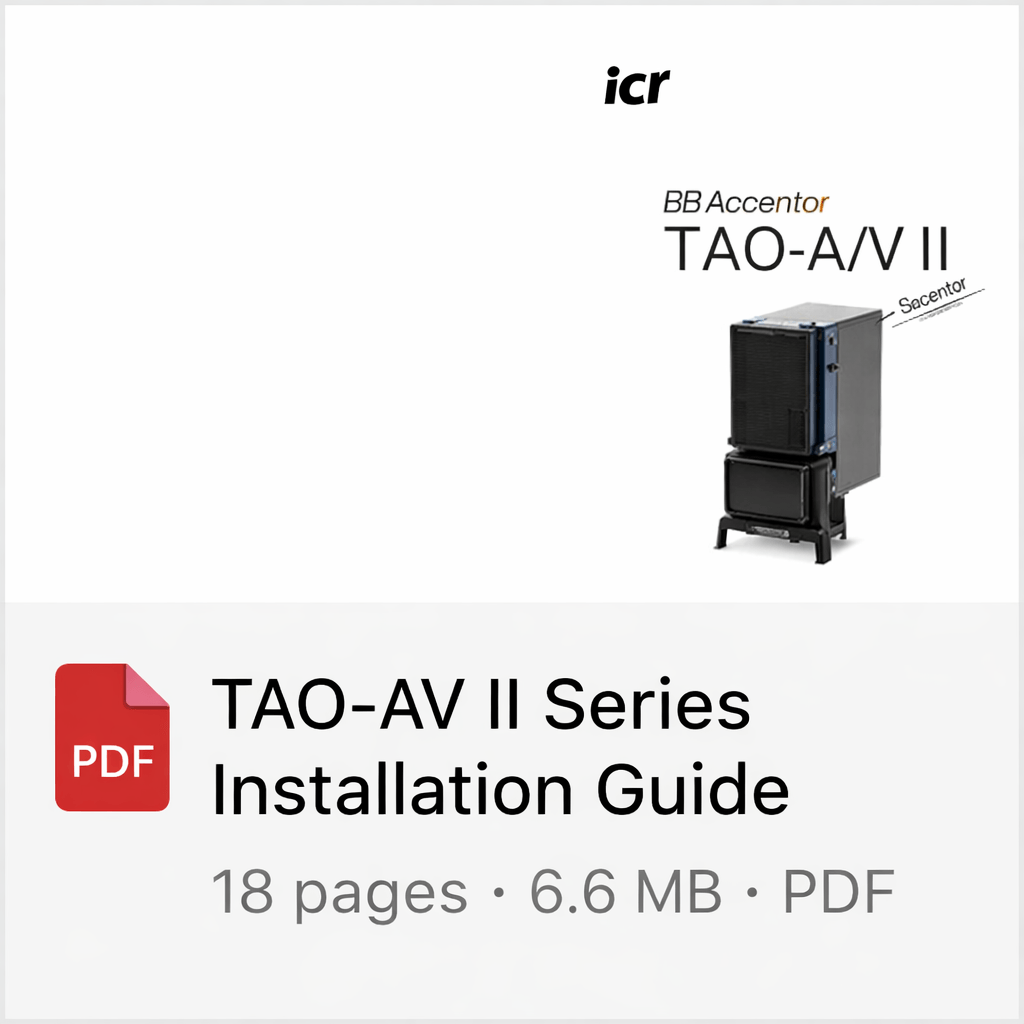
Click here to View or download
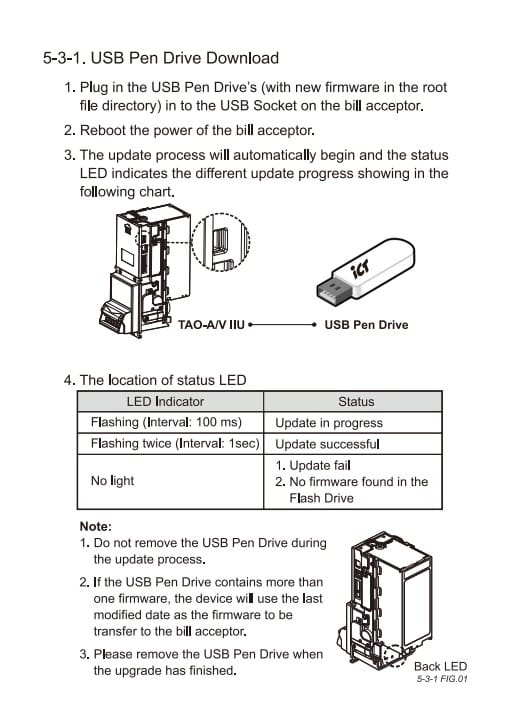
Step 1
Use laptop. Download and Unzip the file below
This is program of ITL CBA9. This is only for TAO Model.
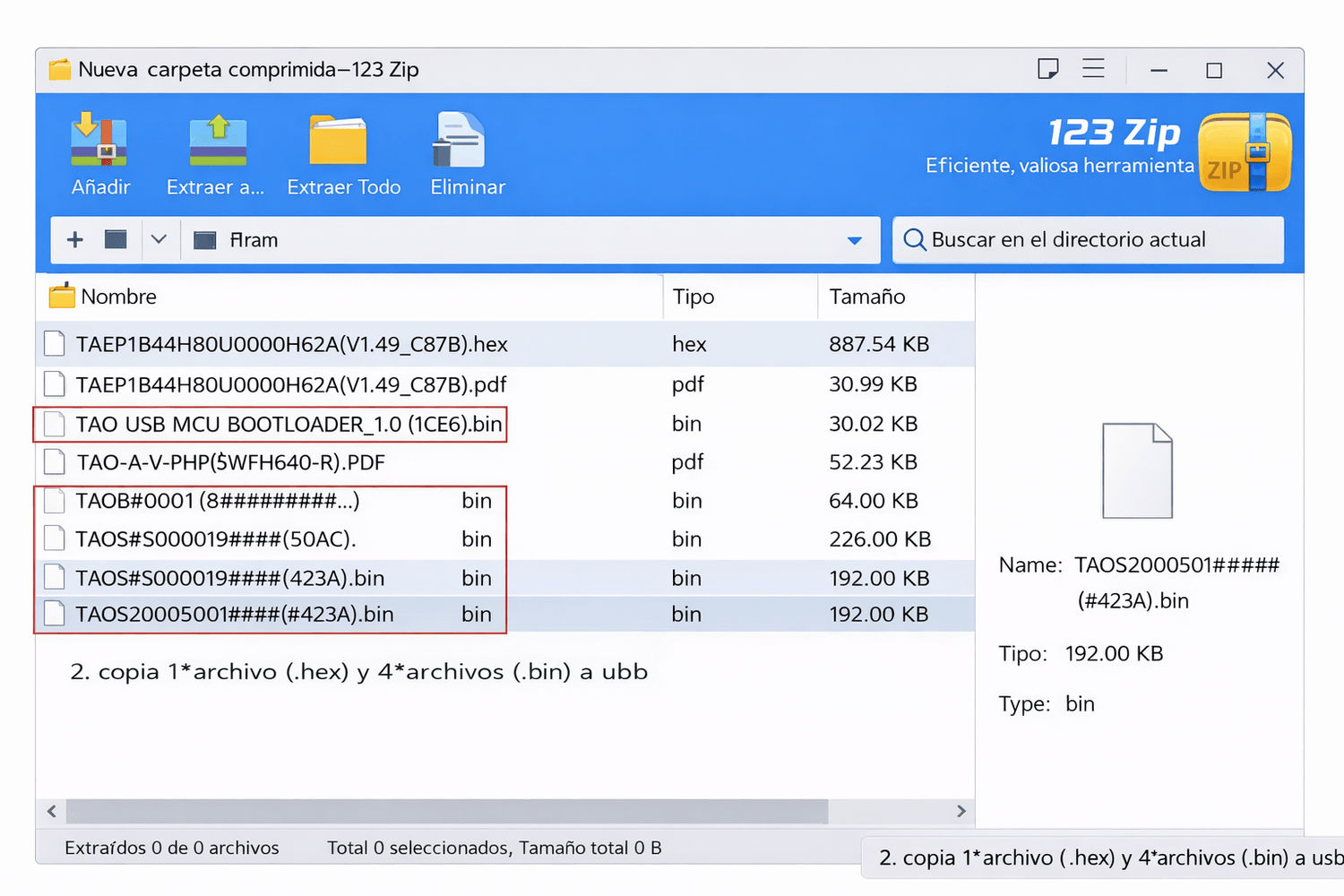
Step 2. copy 1*hex file and 4*bin file to usb
English version. See the files in red rectangle. copy 1*hex file and 4*bin file to usb
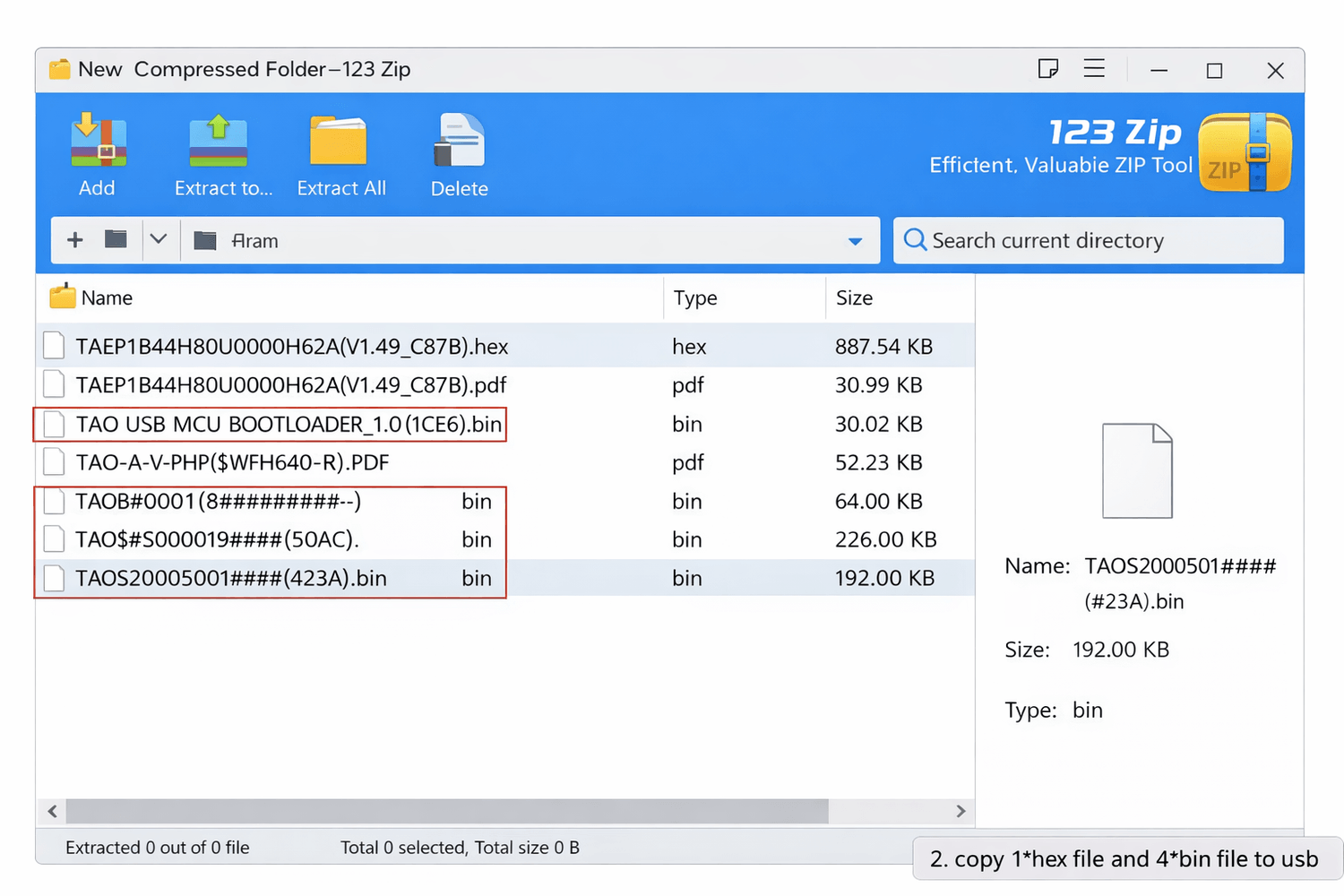
Taiwan and Singapore . See the files in red rectangle. copy 1*hex file and 4*bin file to usb
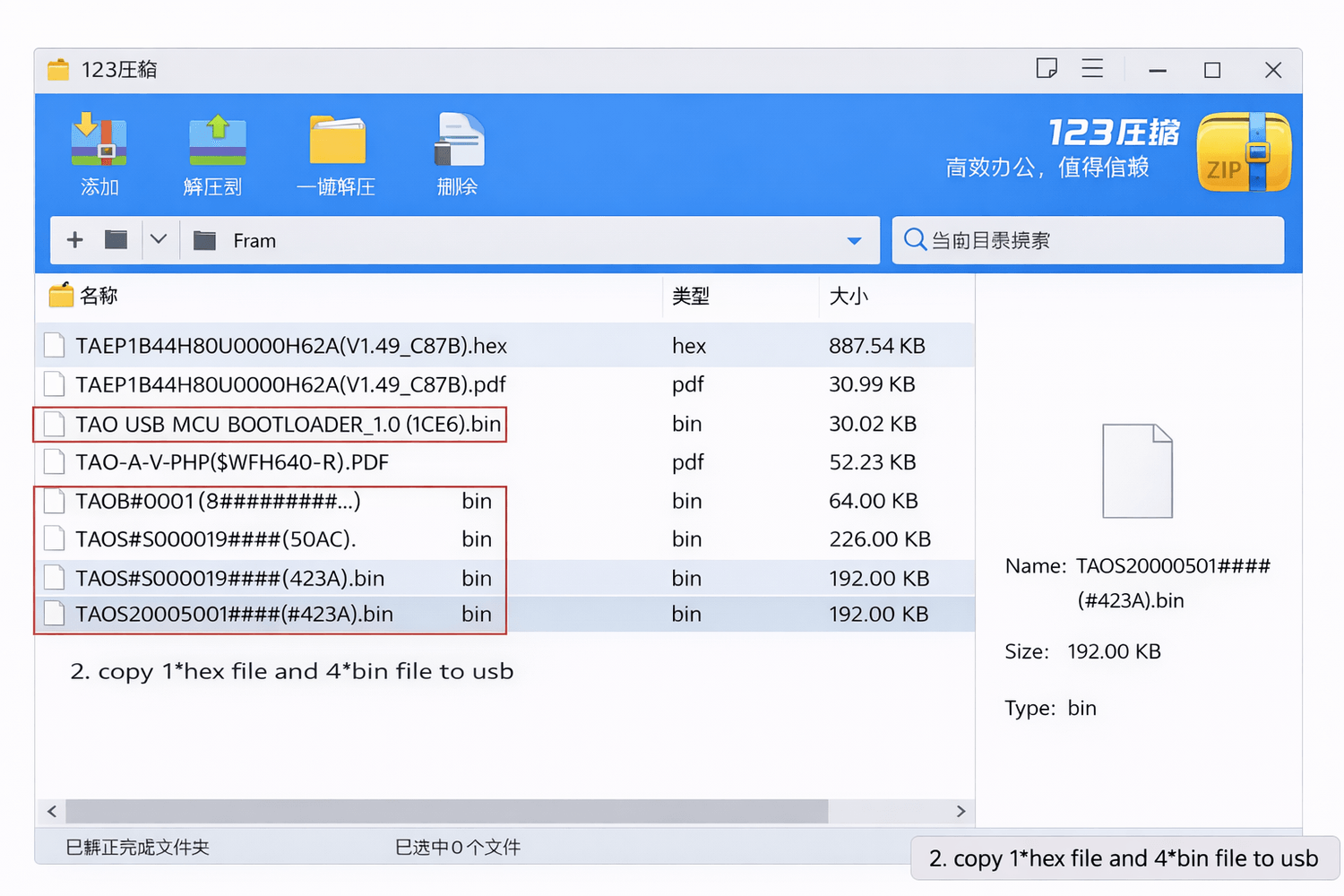
Spanish version. See the files in red rectangle. copy 1*hex file and 4*bin file to usb
Step 3. Power off and connect usb
Power off, connect the USB drive to the program download port on the side of the TAO, power on and wait about 2 minutes. During the download process, the red light will flash rapidly. After 2 minutes, it will flash slowly. At this point, you can unplug the USB drive
Step 4
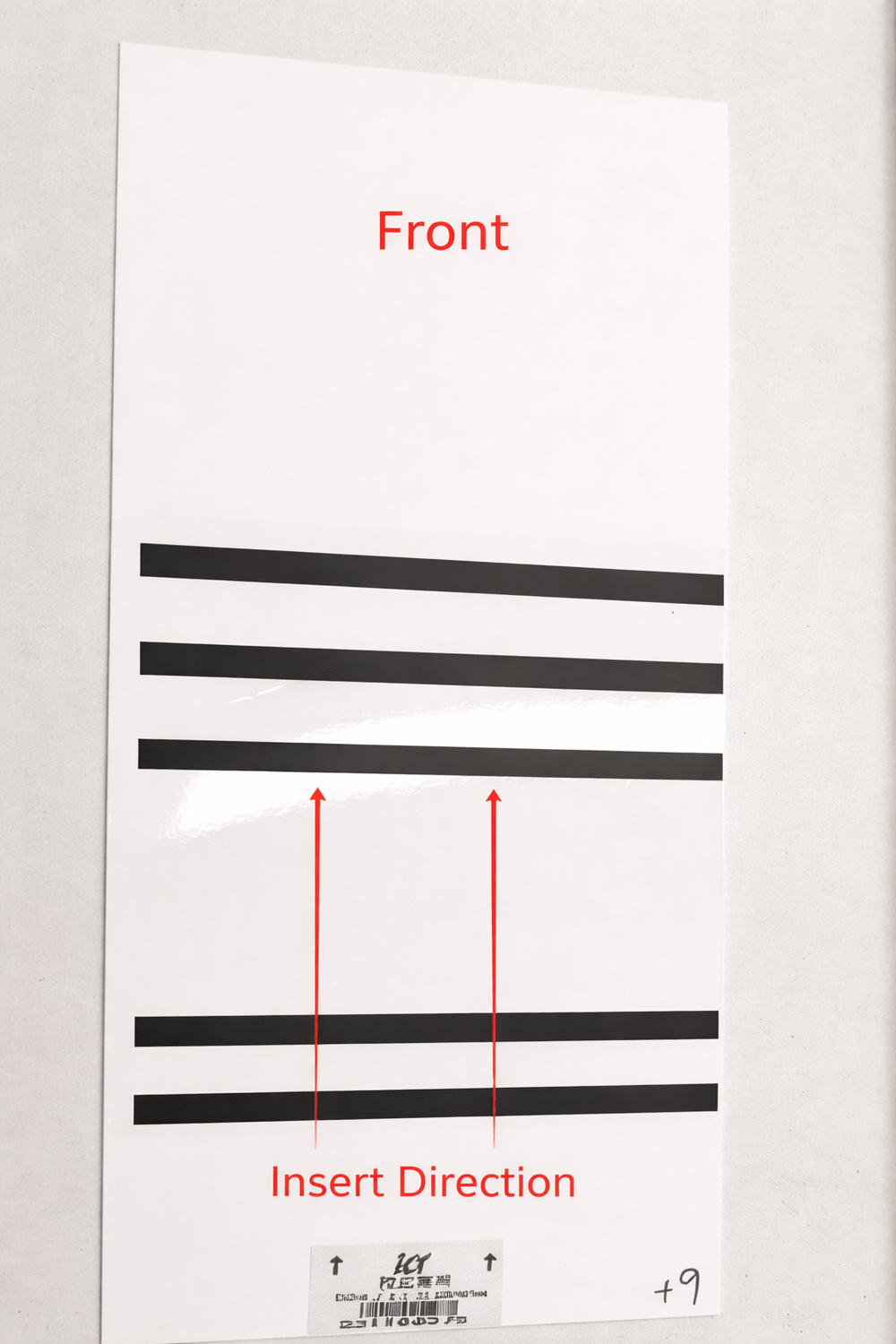
The indicator light on the banknote dispenser will change from flashing red to flashing green. At this point, insert the calibration card, following the arrow direction (same as inserting banknotes). The dispenser will then eject the card, completing the calibration.
Note: If your TAO Philippines software version is higher than V1.32, calibration is not required; simply update the program to use it.
ICT TAO Bill Acceptor — Firmware Update (Simple Step-by-Step)
✅ What you need first
✔️ USB flash drive (small, simple — 2–16 GB recommended)
✔️ The firmware we sent / download here (.bv1 or similar)
✔️ Access to the bill acceptor inside the machine
✔️ Power switch for the machine
STEP 1 — Prepare the USB drive
👉 Do this on a computer (not phone)
Insert USB into computer
Open the USB drive
Delete everything inside (make it empty)
Copy the firmware file to the USB
⚠️ IMPORTANT:
✅ Put the file directly on the USB — NOT inside a folder
✅ Do NOT rename the file
✅ Only ONE firmware file on the USB
your USB should look like:
USB Drive
└── PHP03K39_CBA0093832584000_IF_01.bv1
STEP 2 — Insert USB into the bill acceptor
Open the vending machine
Locate the ICT TAO bill acceptor
Find the USB port on the acceptor
Plug in the USB drive
STEP 3 — Restart the bill acceptor
👉 This triggers the update
You can restart by:
Turning machine OFF → ON
ORPower-cycling only the bill acceptor (if separate)
STEP 4 — Wait for automatic update
The device updates itself.
STEP 5 — Remove USB when finished
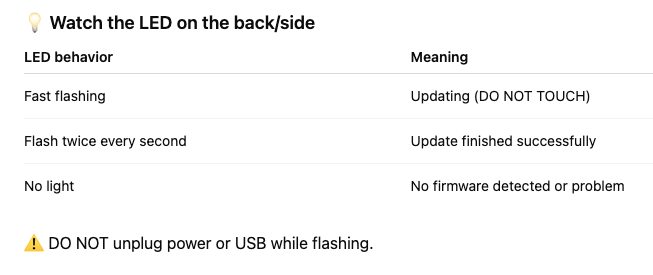
When LED shows success:
Remove the USB drive
Close machine
Test bill acceptance
🚨 VERY IMPORTANT WARNINGS
❌ Do NOT interrupt power during update
❌ Do NOT remove USB while flashing
❌ Do NOT use multiple firmware files
❌ Do NOT rename file
👉 Interrupting update can “brick” the acceptor (stop working).
NO PROMO THIS MONTH
QUICKLINKS
First time owner guide
Must know before buying Android

Buy this ebook before purchasing a vending machine. Money back after you purchase a unit.
We are a vending solution provider that can handle all of your needs. Vending machines, system servicing, logistics, product procurement, and location search are all part of our comprehensive approach.
+63 976 093 3901
Vending Machine Ph by Itadish 2025