How to maintain your vending machine
1. Clean Your Machine Weekly
Don’t underestimate how much cleanliness affects sales—it’s one of the first things customers notice. A machine that looks dirty, sticky, or dusty can instantly turn people away, even if the products inside are great.
Make it a weekly habit to:
Wipe down buttons and touchscreens to remove fingerprints, grease, and bacteria buildup.
Clean the glass thoroughly so customers can clearly see the products inside—visibility directly impacts impulse buys.
Disinfect high-touch areas like coin slots, card readers, and handles.
Remove dust and debris from vents and edges to keep the machine looking well-maintained.
A clean machine signals professionalism, trust, and quality. People are far more likely to buy from a vending machine that looks hygienic and cared for—especially when it comes to food and drinks.
2. Check for Product Jams
Product jams are one of the fastest ways to lose customer trust. If someone pays and nothing drops—or it gets stuck halfway—they’re much less likely to use your machine again (and may even warn others).
Every time you restock, take a minute to properly inspect the machine:
Check the spirals (coils):
Make sure each product is sitting correctly in its slot and aligned with the spiral. Items that are too tight, too loose, or oddly shaped are more likely to get stuck.Test the drop action:
Manually rotate or vend a few selections to confirm products fall cleanly into the collection area.Inspect the drop zone:
Look for items that may have partially fallen or are blocking the chute. Even one stuck product can prevent others from dropping.Avoid overfilling:
Packing too many items into a spiral increases pressure and leads to jams—especially with snacks like chips or pastries.Match products to the right slots:
Not every item fits every spiral. Use wider coils for bulky items and tighter ones for smaller products.Remove damaged packaging: Crushed or bent items can catch on the spiral and stop the vend.
Taking an extra 2–3 minutes to check for jams during restocking can save you refunds, complaints, and lost repeat customers. A machine that always delivers builds trust—and trust drives sales.
3. Test Payment Systems
Your machine can be perfectly stocked, but if people can’t pay easily, you won’t make sales. Payment issues are one of the most common (and costly) problems in vending—so this step is non-negotiable on every visit.
Make it a routine to test every payment method:
Card reader / contactless:
Tap or insert a card to confirm the reader is responsive, connected, and processing quickly. Slow or failed transactions can frustrate customers and cause them to walk away.Mobile payments (Apple Pay / Google Pay):
If your machine supports them, test with your phone. These are increasingly popular, and any glitch here can mean lost impulse purchases.Coin mechanism:
Insert coins to ensure they’re accepted properly and not getting rejected or stuck. Also check that the machine is giving correct change.Bill acceptor:
Feed in a few notes to verify they’re recognized and not jammed. Dirty or worn bill acceptors often cause issues—cleaning may be needed.Check for error messages:
Look at the display for warnings like “Exact Change Only” or connection errors—these are red flags that need fixing immediately.Confirm refunds work:
Cancel a transaction and make sure money is returned correctly. This builds trust and prevents complaints.
A smooth, reliable payment experience removes friction and increases conversions—especially for customers who don’t carry cash. If paying feels effortless, people are far more likely to buy (and come back).
4. Monitor Expiry Dates
Nothing damages trust faster than a customer buying something expired. Even one bad experience can turn people away permanently—and in some locations, it can also lead to complaints or lost placement opportunities.
Build a habit of checking product freshness every time you service the machine:
Scan all expiration dates:
Don’t just check the front row—look at every item, especially those pushed to the back that may have been sitting longer.Follow FIFO (First In, First Out):
When restocking, move older products to the front and place newer stock behind them. This simple habit prevents waste and keeps inventory rotating smoothly.Remove anything expired immediately:
Never leave it “just for one more day.” It’s not worth the risk to your reputation.Identify slow-moving items:
If certain products are close to expiring, it’s a sign they’re not selling well. Consider replacing them with more popular options.Adjust your product mix:
Pay attention to what sells fast vs. what lingers. Over time, refine your selection to minimize expiry issues altogether.Check temperature-sensitive items:
Drinks, dairy, or fresh food need proper cooling. If your machine isn’t maintaining temperature, products can spoil before the printed date.
Keeping everything fresh shows customers your machine is reliable and safe. When people trust what they’re buying, they’re far more likely to return—and that consistency is what builds steady, long-term sales.
5. Restock Based on Data
Restocking isn’t just about filling empty slots—it’s about making smart decisions that maximize profit. The most successful vending operators treat their machines like mini retail stores, using data to decide what deserves space.
Here’s how to restock strategically:
Track top sellers:
Identify which products sell out fastest and make sure they’re always in stock. These are your “money makers,” so prioritize them during every visit.Spot slow movers:
If items sit for weeks without selling, they’re taking up valuable space. Replace them with better-performing alternatives.Use sales reports (if available):
Many modern machines provide digital sales data. Review it regularly to see trends by product, time of day, and even payment method.Adjust for location:
Different locations = different preferences.Offices → healthier snacks, coffee, energy drinks
Gyms → protein bars, low-sugar drinks
Schools → affordable, popular brands
Tailor your inventory to the audience.
Test and rotate products:
Introduce new items in small quantities. If they sell well, expand them. If not, swap them out quickly.Consider pricing strategy:
Sometimes a product doesn’t sell simply because it’s priced too high. Test small price changes and monitor the impact.Watch trends and seasons:
Cold drinks may spike in summer, while comfort snacks do better in colder months. Adjust your stock accordingly.
When you restock based on real data—not guesswork—you reduce waste, increase turnover, and boost profits. Over time, your machine becomes optimized for its location, consistently offering exactly what customers want.
6. Check Power Supply
A vending machine that’s off—or even briefly losing power—isn’t just inconvenient, it’s lost revenue. Every minute your machine isn’t running is a missed sale, and repeated outages can damage both your equipment and your reputation.
Make power checks part of every visit:
Confirm the machine is fully powered on:
Sounds obvious, but machines can get unplugged accidentally (cleaning staff, maintenance work, or customers). Always do a quick visual check.Inspect the power cable and plug:
Look for loose connections, frayed wires, or bent prongs. A weak connection can cause intermittent shutdowns or glitches.Check the outlet stability:
Test the outlet if needed—faulty or overloaded sockets can cause the machine to reset or shut off unexpectedly.Look for signs of power interruptions:
Reset clocks, error messages, or reboot screens can indicate recent outages. These can affect payment systems and cooling performance.Verify internal systems are running:
Ensure lights, display, cooling (for drinks/snacks), and payment terminals are all functioning properly.Use surge protection (if possible):
Power spikes can damage electronics like card readers and control boards. A surge protector adds an extra layer of safety.Talk to the location owner if issues persist:
If power cuts happen often, it may be a building issue that needs addressing to protect your machine.
A stable power supply keeps everything running smoothly—from product cooling to cashless payments. Reliability builds trust, and a machine that’s always “ready to serve” will consistently outperform one that isn’t.
7. Ensure the Payment Acceptor works
Your payment acceptor (bill validator and/or coin mech) is where money actually enters your business—so if it’s unreliable, you’re literally turning customers away at the point of sale.
Make it a priority to check and maintain it every visit:
Test with real cash:
Insert a few bills and coins to confirm they’re accepted quickly and smoothly. Delays or rejections frustrate users and often lead to abandoned purchases.Watch for frequent rejections:
If valid bills or coins are being rejected, the acceptor may be dirty, misaligned, or starting to wear out.Clean the validator regularly:
Dust, dirt, and residue build up over time and interfere with sensors. Use a proper cleaning card or follow manufacturer guidelines.Check for jams or blockages:
Bills can get stuck or folded inside the acceptor. Even a small obstruction can stop it from working entirely.Ensure it’s securely installed:
A loose or slightly shifted unit can cause reading errors or disconnect issues.Verify it communicates with the machine:
If the machine isn’t recognizing inserted money, there may be a connection or wiring issue between the acceptor and the control system.Empty and inspect cash boxes:
Don’t let them overfill—this can lead to jams or failed transactions. While emptying, look for damaged or suspicious bills.Check firmware/settings (for newer models):
Some validators need occasional updates or configuration checks to accept newer banknotes.
A smooth, reliable payment acceptor builds confidence—customers expect their money to be accepted instantly and accurately. When that experience is frictionless, they’re far more likely to complete the purchase and come back again.
8. Maintain Proper Cooling System
Your cooling system is what protects your products—and your reputation. If drinks aren’t cold or snacks spoil, customers immediately lose trust. Worse, you risk refunds, complaints, or even losing the location.
Go beyond a quick temperature check—inspect the entire cooling system every visit:
Verify internal temperature:
Open the machine and feel the products. Drinks should be properly chilled (typically around 3–5°C). If it feels even slightly warm, investigate immediately.Clean the condenser coils (compressor area):
Dust and dirt buildup is one of the most common causes of poor cooling. Dirty coils restrict airflow, making the system work harder, increasing energy costs, and eventually causing failure.Check the fan operation:
Ensure the fan is spinning smoothly and isn’t blocked. A faulty or dirty fan leads to overheating and uneven cooling inside the machine.Listen for unusual sounds:
Loud buzzing, constant running, or clicking noises from the compressor can signal early issues. Catching these early can save you from expensive repairs.Inspect airflow and vents:
Make sure the back and sides of the machine have enough space and aren’t blocked by walls, boxes, or debris. Proper airflow is essential for heat dissipation.Check door seals (gaskets):
If the seal is loose or damaged, cold air escapes and the machine struggles to maintain temperature.Monitor for ice buildup or condensation:
Excess moisture or frost can indicate airflow problems or failing components.Watch product performance:
If drinks aren’t as cold as usual or certain sections are warmer than others, it’s a sign the system isn’t working evenly.Service regularly:
Preventative maintenance (cleaning + inspections) keeps the cooling system efficient and extends the life of your machine.
A properly maintained cooling system keeps products fresh, reduces breakdowns, and ensures customers always get what they expect—cold, safe, and ready to enjoy.
9. Fix Small Issues Early
Small problems don’t stay small for long. In vending, a minor issue today—like a strange noise or a slow motor—can quickly turn into a full breakdown, lost sales, or an unhappy location owner.
Treat every “weird” sign as an early warning:
Listen for unusual sounds:
Grinding, clicking, or loud humming can signal motor wear, misaligned parts, or compressor issues. Catching it early is usually a quick fix—waiting can mean expensive repairs.Watch for slow or incomplete dispensing:
If products don’t drop cleanly or the spiral hesitates, it could be a motor, alignment, or product fit issue that needs adjusting.Check response times:
Buttons, keypads, or touchscreens should respond instantly. Delays can indicate electrical or control board problems.Inspect moving parts:
Look at spirals, motors, and delivery mechanisms for signs of wear, looseness, or damage.Address minor jams immediately:
Even occasional sticking can become frequent if ignored—and customers won’t tolerate repeated failures.Look for warning signs on the display:
Error codes or intermittent glitches are often early indicators of deeper issues.Tighten and secure components:
Loose screws, panels, or internal parts can cause vibration, noise, and long-term damage.Keep a simple maintenance log:
Track recurring issues. If the same problem keeps appearing, it may need a proper repair or part replacement.
Fixing small issues early saves you money, prevents downtime, and keeps your machine running reliably. A machine that always works smoothly builds trust—and that trust turns into consistent sales.
10. 📍 Visit High-Traffic Locations Often
Busy locations are where most of your money is made—but they also require the most attention. A high-traffic machine can sell out quickly, run into issues faster, and create more customer interactions in a short time.
Make sure you service these locations more frequently:
Restock more often:
Popular items can sell out fast, and empty slots mean missed sales. Keep your best-sellers consistently available.Check for jams and errors:
The more a machine is used, the higher the chance of jams, payment issues, or wear on components.Monitor cleanliness closely:
High usage means more fingerprints, spills, and mess. A clean machine keeps attracting customers.Test payment systems regularly:
Card readers and cash acceptors get heavy use—frequent checks ensure they stay reliable.Watch product performance:
High-traffic locations give you the best data. Pay attention to what sells fastest and adjust your stock to maximize profit.Inspect wear and tear:
Buttons, keypads, and moving parts wear out faster in busy spots—catch issues early before they affect sales.Build relationships with location staff:
They can alert you to problems quickly and may even help you secure better placement or additional machines.Always be scouting opportunities:
While servicing, look around—are there better positions inside the location? Are there nearby businesses with strong foot traffic? Growth comes from spotting the next great location.
High-traffic machines are your top earners—treat them like priority assets. The more attention you give them, the more consistent and profitable they become.
11. Empty Cash Box Regularly
Your cash box is where your revenue physically lives—so managing it properly is critical for both security and machine performance. Leaving it too full increases the risk of jams, theft, and accounting mistakes.
Make cash collection a consistent part of your routine:
Prevent overfilling:
A full cash box can cause bills or coins to back up into the acceptor, leading to jams and rejected payments.Reduce theft risk:
The more cash sitting inside, the more attractive your machine becomes as a target. Frequent collections keep amounts low and safer.Ensure smooth payment operation:
Coin mechanisms need space to sort and store change. If overloaded, they may stop accepting coins or fail to return correct change.Check for damaged or suspicious bills:
While emptying, quickly inspect notes and coins. Remove anything that could cause future issues.Keep accurate records:
Count and log collections regularly. This helps you track performance, spot discrepancies, and understand which locations are most profitable.Watch for unusual patterns:
If cash levels suddenly drop or don’t match expected sales, it could indicate a machine issue or potential tampering.Don’t forget change reserves:
Make sure the machine still has enough coins to give change after collection—running out can lead to lost sales.Stay consistent with timing:
High-traffic machines may need more frequent emptying, while quieter ones can follow a longer schedule.
Regular cash collection keeps your machine running smoothly, reduces risk, and gives you a clear picture of your earnings. It’s a simple habit that protects both your income and your business.
12. Prevent Rust & Lubricate Moving Parts
Your vending machine is a long-term asset—protecting its metal components and keeping parts moving smoothly will extend its life and prevent costly breakdowns.
Make this part of your regular maintenance routine:
Check for early signs of rust:
Inspect hinges, edges, locks, and internal metal parts. Small rust spots can spread quickly if ignored.Apply anti-rust protection:
Use a rust inhibitor or protective spray on vulnerable areas, especially if the machine is placed in humid, coastal, or outdoor environments.Keep the machine dry:
Moisture is the main cause of rust. Wipe away any spills, condensation, or water buildup inside and around the machine.Lubricate moving parts:
Apply a light machine oil to hinges, locks, and mechanical components to keep everything operating smoothly.Avoid over-oiling:
Too much oil can attract dust and dirt, which may cause buildup or interfere with mechanisms.Check locks and doors:
A stiff lock or squeaky door is an early sign it needs lubrication—don’t wait until it becomes difficult to open.Inspect internal mechanisms:
Motors, spirals, and delivery systems benefit from smooth movement—friction can lead to wear and eventual failure.Protect exterior surfaces:
Keep paint and coatings intact. Scratches or exposed metal are more likely to rust—touch them up if needed.
Preventative care like this keeps your machine looking professional, operating quietly, and lasting longer. A well-maintained machine not only saves on repairs but also reflects quality to every customer who uses it.
13. Keep a Maintenance Log
If you’re not tracking what’s happening with your machines, you’re guessing—and guessing costs money. A simple maintenance log turns your route into a data-driven operation, helping you spot problems early and improve performance over time.
Make it part of every visit:
Record each visit:
Note the date, time, and location. This helps you stay consistent and identify how often each machine really needs servicing.Track issues and fixes:
Log any problems (jams, payment errors, cooling issues) and what you did to fix them. If the same issue repeats, you’ll catch it quickly.Monitor product performance:
Write down what’s selling fast, what’s slow, and what you removed or added. Over time, this becomes your blueprint for maximizing profit.Log cash collections:
Record how much you collect each visit. This helps you track revenue trends and spot any irregularities.Note machine condition:
Cleanliness, wear and tear, unusual sounds—small observations can reveal bigger issues later.Track restocking details:
What you added, how much, and which slots were empty. This helps you plan inventory more efficiently.Use photos if needed:
A quick picture can help you remember setups, issues, or changes—especially useful if you manage multiple machines.Go digital if possible:
Use a notes app, spreadsheet, or vending software to keep everything organized and easy to review.
A good maintenance log gives you control over your business. Instead of reacting to problems, you’ll anticipate them—and over time, your machines will run smoother, earn more, and require fewer surprises.
14. Clean Product Trays
Product trays are where your items sit and move—if they’re dirty, sticky, or full of debris, you’re asking for jams and failed vends. It’s an easy thing to overlook, but it directly affects how smoothly your machine operates.
Make tray cleaning part of your regular routine:
Remove crumbs and debris:
Chips, wrappers, and dust build up over time and can block products from moving freely along the tray.Wipe down tray surfaces:
Use a dry or lightly damp cloth to clean sticky residue from spilled drinks or broken packaging.Check spiral movement:
Ensure coils rotate freely without catching on dirt or buildup. Even small obstructions can stop a vend.Inspect edges and corners:
Debris often collects in hard-to-see areas—these spots are common causes of hidden jams.Keep slots properly aligned:
Dirty trays can shift products out of position, increasing the chance they get stuck.Clean during every restock:
You’re already opening the machine—take an extra minute to keep trays in good condition.Avoid excess moisture:
Don’t soak trays—too much water can damage components or lead to rust.Watch for wear and damage:
Cracked or bent trays can also cause jams—cleaning time is a good opportunity to spot these issues.
Clean trays mean smoother dispensing, fewer customer complaints, and less time dealing with preventable problems. It’s a small habit that makes a big difference in reliability and sales.
15. Test Selection Buttons
Your selection buttons (or touchscreen) are the customer’s main way to interact with the machine. If a button doesn’t respond—or responds incorrectly—you lose sales instantly and create frustration.
Make button testing part of every visit:
Test every selection:
Press each button to confirm it registers properly. Don’t assume—one faulty button can block sales for a popular item.Check for responsiveness:
Buttons should respond quickly and consistently. Delays or the need to press multiple times are early warning signs of wear or electrical issues.Verify correct item mapping:
Make sure each button dispenses the correct product. Misaligned selections can lead to complaints and refund requests.Inspect for physical damage:
Look for cracked, stuck, or worn-out buttons. Dirt and heavy use can cause them to jam or stop working.Clean around buttons and keypad:
Dust, sugar, and grime can build up and interfere with proper contact. A quick clean can often restore performance.Test illuminated labels/display:
Ensure lights or digital labels are visible and accurate—customers need to clearly see what they’re selecting.Check touchscreen calibration (if applicable):
If your machine uses a touchscreen, make sure taps register accurately in the right place.Watch for intermittent faults:
If a button works sometimes and not others, it’s likely to fail completely soon—fix it early.
Fully working selection buttons ensure a smooth customer experience. When choosing a product is quick and reliable, people are far more likely to complete the purchase without hesitation.
16. Check Signal Strength
Cashless payments rely on a stable network connection. If your machine has weak or inconsistent signal, card transactions can fail, process slowly, or not go through at all—leading to lost sales and frustrated customers.
Make signal checks part of your routine:
Verify connection status:
Check the card reader or telemetry system for signal bars or connection indicators. Anything less than strong signal can cause issues.Test a real transaction:
Tap or insert a card and confirm the payment processes quickly. Delays or failures are often linked to poor connectivity.Watch for slow approvals:
If payments take too long to authorize, customers may cancel or walk away.Check machine placement:
Machines placed in basements, behind thick walls, or inside metal-heavy environments often struggle with signal.Inspect the antenna/modem:
Make sure it’s properly connected and not damaged. A loose or hidden antenna can weaken reception.Reboot if needed:
Sometimes a simple restart of the payment system restores connection and improves performance.Consider signal upgrades:
If the location consistently has weak coverage, you may need a stronger antenna, a different network provider, or a signal booster.Monitor connection alerts:
Some systems notify you of offline periods—don’t ignore these, as they directly impact sales.
Strong signal = smooth, fast payments. In today’s cashless world, unreliable connectivity can cost you more than any other issue—so keeping your machine online and responsive is essential for maximizing revenue.
17. Rotate Products
Product rotation is one of the simplest ways to reduce waste and keep your machine consistently fresh. If you ignore it, older items get pushed to the back, expire unnoticed, and cost you money.
Make rotation part of every restock:
Follow FIFO (First In, First Out):
Always move older products to the front and place newer stock behind them. This ensures the oldest items sell first.Check dates while rotating:
Don’t just move products—quickly scan expiration dates as you go. This helps you catch anything close to expiring.Prevent hidden stock buildup:
Items at the back can sit for weeks if not rotated. Over time, this leads to waste and poor product quality.Focus on slower-selling items:
If certain products aren’t moving, rotating them forward gives them a better chance to sell before expiring.Keep rows neat and aligned:
Properly positioned products vend more reliably and look more appealing to customers.Adjust stock levels if needed:
If you constantly rotate the same items without them selling, it’s a sign to reduce quantity or replace the product.Combine with cleaning checks:
Rotation is a great time to clear crumbs, check spirals, and ensure everything is positioned correctly.
Rotating products keeps your inventory fresh, reduces losses, and improves the overall look of your machine. A well-organized machine not only works better—it also sells better.
18. Defrost When Needed
Ice buildup inside your vending machine isn’t just a minor inconvenience—it can seriously affect performance, damage components, and lead to costly repairs if ignored.
Make defrosting part of your maintenance routine when needed:
Watch for ice buildup:
Check around the cooling unit, coils, and interior walls. Even small amounts of frost can restrict airflow and reduce efficiency.Understand the impact:
Ice forces the compressor to work harder, increasing energy use and wear on the system. Over time, this can lead to failure.Look for uneven cooling:
If some products are colder than others—or not cold enough—it could be due to blocked airflow from ice.Check door seals (gaskets):
Warm air entering through loose or damaged seals can cause condensation, which turns into ice.Defrost safely:
Turn off and unplug the machine before defrosting. Allow ice to melt naturally—don’t use sharp tools, as they can damage internal components.Clean and dry thoroughly:
After defrosting, wipe away all moisture before turning the machine back on to prevent immediate re-freezing.Identify the root cause:
Frequent ice buildup may indicate poor ventilation, high humidity, or a failing component that needs attention.Schedule preventative checks:
Regular inspections help you catch early signs before ice becomes a bigger problem.
Keeping your machine free of excess ice ensures proper airflow, stable temperatures, and a longer-lasting cooling system. It’s a simple step that protects both your products and your profits.
19. Backup Battery Check
Some vending machines rely on backup power systems—not to fully run the machine, but to protect key functions and, in some setups, provide short-term power during outages. If these systems fail, you can lose sales, settings, or connectivity.
Make sure to check both types of backup power:
Internal Backup Battery (Control Systems)
Purpose: Keeps memory, settings, and communication systems alive during power loss
What to check:
Test if the machine retains prices, settings, and time after a restart
Look for reset clocks or error messages after outages
Inspect for corrosion or weak battery signs
Replace every 1–3 years as preventative maintenance
External Backup / Power Support (if installed)
(Some machines or setups use a UPS or battery backup system)
Purpose: Provides short-term power during blackouts to:
Complete transactions
Keep card readers online briefly
Prevent abrupt shutdowns
What to check:
Test the system by simulating a brief power cut (if safe)
Ensure it holds power for at least a few minutes
Check battery health and charge status
Replace aging batteries before they fail
⚠️ Important to understand
Backup systems do NOT run the compressor long-term
They are designed to protect systems and prevent sudden shutdown issues, not to keep products cold for hours
🔍 Why this matters
Prevents lost settings and reprogramming
Reduces card payment failures after outages
Protects electronics from sudden power loss damage
Maintains a professional, reliable machine experience
A working backup system is like insurance—it only matters when something goes wrong. But when it does, it can save you from downtime, lost sales, and unnecessary service calls.
20. Inspect the Machine Exterior
Your machine’s exterior is your first impression—and your silent salesperson. Before a customer even looks at the products, they judge the machine. If it looks clean, modern, and well-kept, people are far more likely to trust it and make a purchase.
Make exterior checks part of every visit:
Clean all outer surfaces:
Wipe down the front, sides, and top to remove dust, fingerprints, and stains. A shiny, clean machine attracts more attention.Check the glass condition:
Ensure it’s spotless and free of smudges or scratches. Clear visibility makes products more appealing and increases impulse buys.Inspect for damage:
Look for dents, cracks, peeling paint, or vandalism. Even small cosmetic issues can make the machine look neglected.Check branding and labels:
Make sure product labels, prices, and instructions are clear, accurate, and not faded or peeling.Ensure proper lighting:
Interior lights should be working—bright machines sell more because products are easier to see.Look at the payment area:
The card reader, coin slot, and bill acceptor should be clean and clearly visible. This builds trust when customers are about to pay.Check surroundings:
The area around the machine matters too—trash, spills, or clutter nearby can reflect badly on your machine.Remove stickers or graffiti:
Keep the machine looking professional and maintained at all times.Stand back and assess:
Take a few seconds to view the machine like a customer would—would you buy from it?
A clean, well-presented machine builds trust instantly. When your machine looks new and reliable, customers feel confident using it—and that confidence directly translates into more sales.
NO PROMO THIS MONTH
QUICKLINKS
First time owner guide
Must know before buying Android
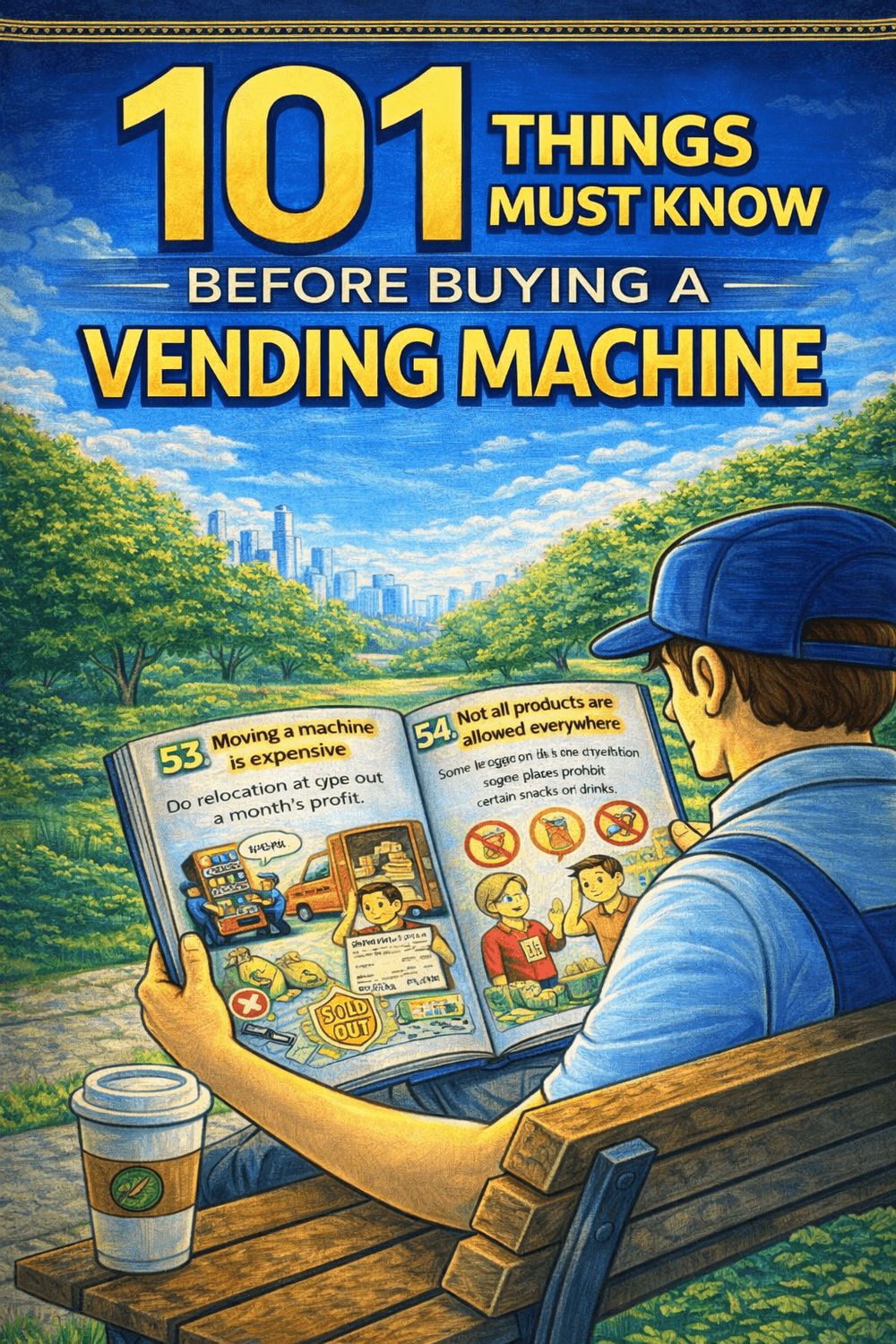
Buy this ebook before purchasing a vending machine. Money back after you purchase a unit.
We are a vending solution provider that can handle all of your needs. Vending machines, system servicing, logistics, product procurement, and location search are all part of our comprehensive approach.
+63 976 093 3901
Vending Machine Ph by Itadish 2025